AMSpiriT Lite: 6 months already!


Several months after the release of the first version of AMSpiriT Lite, it's time to take stock and look back at what has been accomplished and what this emulator has to offer. As we'll see in this introductory article, it's not simply a port to other platforms (Linux, macOS (Silicon), RPi5...) but also an attempt to explore new ideas and propose tools that are still rare in the CPC emulation world. The goal wasn't to add yet another emulator to an ever-growing list!
This article therefore presents AMSpiriT Lite in broad strokes: what it is, its strengths, what it offers in terms of tooling, and some achievements built with it. Some of the examples presented here are available on our github repositories.
I would like to thank not only the development team behind AMSpiriT - Dmanu78, Longshot, Gurneyh, Tronic - but also the relentless team of testers: Ricolaoz, Lord Heavy, Fred, Ldir Hector. Thank you for the support some of you have shown us, thank you to those who made the effort to try our tools and adapt theirs to develop their projects: it's greatly appreciated and it helps keep us motivated!
AMSpiriT Lite: what exactly is it?
Let's start by clarifying one thing: there are two versions of the AMSpiriT emulator. The first, AMSpiriT 'original', created on Windows by DManu78, remains the reference implementation. The second, AMSpiriT Lite, was born from the desire to port the emulator to other operating systems. Since the original version's user interface relied on Windows libraries, the idea was to start from the same emulation core, but recreate the interface from scratch, this time using portable libraries.
This gave birth to several variants: one based on Qt, with dropdown menus and standard settings windows; another based on SDL, stripped down, with virtually no interface, lighter and simpler to port.
AMSpiriT Lite therefore does not faithfully replicate the original at the interface level. It preserves its core - the emulation engine - but applies a different philosophy, emphasizing simplicity, compatibility, and flexibility, as we'll see.
The core: identical and portable
Both versions share the same emulation mechanics: the Z80 processor, the Gate Array, the PSG, the FDC (floppy disk controller). Everything is implemented in the emulator core written by DManu78, in modern and portable C++.
The core has no graphical, audio, or operating system dependencies. In technical terms, it's said to be headless: it's a black box that receives input state and returns pixels and samples with each frame (50 Hz). Everything around it - the window, menus, keyboard, sound - is part of the wrapper, and that's where Lite and the original diverge.
This means that a fix or optimization made to the core immediately benefits both versions. Conversely, some experiments carried out in Lite can be backported to the original if they prove useful.
The wrapper: simplified and experimental
The original AMSpiriT offers a rich graphical interface: many options, all accessible via dialog boxes or menus.
AMSpiriT Lite takes the opposite approach. Its wrapper is minimalist: little runtime configuration, few menus and dialogs. With this version, we stick to the vintage computer experience: turn on the machine, insert a floppy disk or cartridge, launch the program, and that's it.
This philosophy makes Lite lightweight, fast to initialize, and simple to test and enhance. It provided the ideal playground to experiment with new features: adding an HTTP web server to control the emulator, integrating a Lua scripting engine, building a VS Code extension that injects BASIC directly into RAM.
This doesn't make the original version obsolete, far from it. It remains more complete, and above all, the new version in development will offer a development environment rare in the CPC emulation world: a genuine IDE, offering deep access to the CPC's internals and debugging options, with ergonomics designed by and for developers.
The flavors
AMSpiriT Lite comes in two main variants, each with a different balance between minimalism and ergonomics.
1. SDL2: the lightweight and portable version
It's the most portable and most bare-bones version. It uses SDL, a minimalist graphics library, and creates a 1024 × 540 window at 50 Hz - that's about it. No user interface beyond the keyboard and screen, minimal OSD, and no mouse menus.
To run a program, just drag and drop a file (.dsk, .cpr, .sna, or even a BASIC listing as .bas) onto the window, then type commands on the CPC keyboard as if you were operating a real 1980s machine. Many command-line options also allow you to control the emulator and perform the same operations.
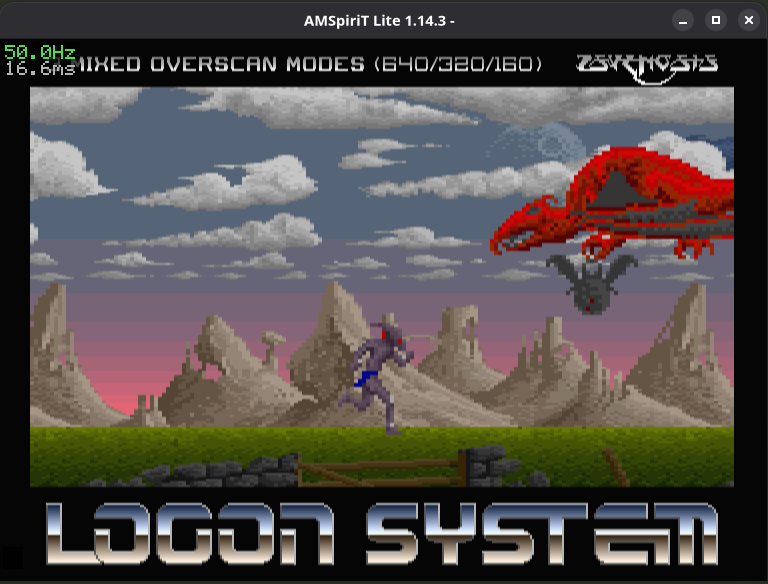
When to use it: for CPC program development, debugging, testing, or simply if you prefer a minimalist interface. It was originally created to make porting to different platforms easier, but it's self-sufficient. Very lightweight (just a few megabytes), it starts quickly.
2. Qt: the ergonomic version
This is the answer for those who find SDL a bit too spartan. Qt offers a classic desktop interface: menus, buttons, dialog boxes.
In addition to the SDL version's features (drag and drop), you can select a file via a dialog window, adjust the volume with a slider, and check the disk status in real time. You also have access to a quick command list. In short, an application that follows standard conventions.
Under the hood, Qt always communicates with the same emulation core: performance and accuracy are identical.
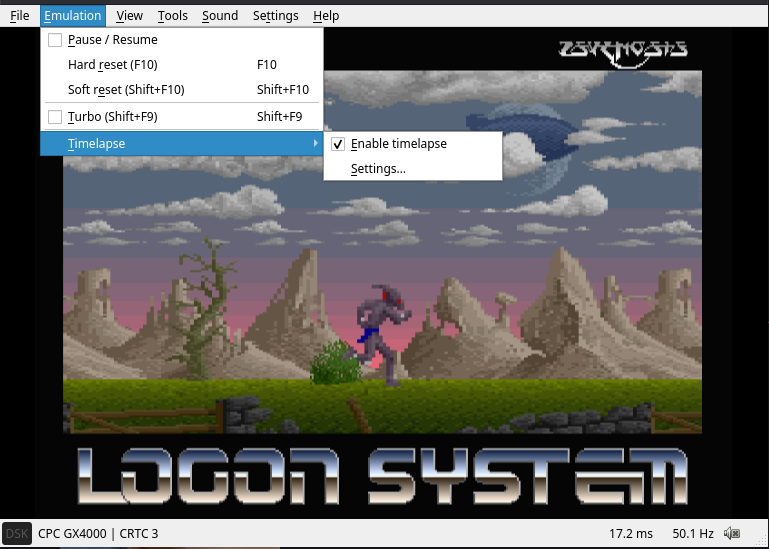
When to use it: if you prefer a more traditional graphical experience. It's probably the best entry point, and it's clearly the version that has been most successful so far.
3. Other variants
There are actually other versions of AMSpiriT Lite: an SDL + ImGui version, a headless version, and even a RetroArch core:
- SDL + ImGui - the same SDL2 base, enhanced with an overlay interface drawn directly on the window. Experimental, it seeks a compromise between SDL's lightness and Qt's comfort.
- Headless - no window, no sound, no keyboard input. The emulator can only be controlled via the web API and scripts. This is the variant for automated testing and continuous integration: you launch it, communicate via HTTP, and read the results.
- RetroArch - a Libretro core: a shared library (
.soon Linux) that integrates into RetroArch, the frontend that unifies hundreds of emulators under a single interface. You launch RetroArch, select the AMSpiriT Lite core, load a CPC file, and you're good to go. RetroArch handles the window, controls, save states, shaders, and everything else; the core just has one thing to do: emulate. It's the most integrated solution for those already playing retro games via RetroArch. But it's also the most closed: no direct access to the CPC command line, no web server, just the game.
The "extras"
An API
It was mentioned above that there's no built-in interface in the SDL2 version. That's true, but there's actually an interface that's still rare in the CPC emulation world (even if the idea seems to be catching on!): a web API. Simply choose a port and launch the application with the --web-server (to enable the server) and --web-port options. You can also choose the network interface with --web-addr; this last parameter is important if you want to make the emulator accessible on the local network, since localhost is used by default. For example, with --web-server --web-addr 0.0.0.0 --web-port 6128, the API will be accessible on all the host machine's interfaces via port 6128. Of course, if multiple instances are running in parallel, each must have a different port.
But what's it for?
The API allows you to control the emulator and the emulated CPC through a series of endpoints, ranging from emulator control (start/stop, reset, pause...) to controlling the CPC itself: read/write access to RAM, keyboard input, etc.
To test the API, it's simple: just use a curl command. For example, to retrieve data from RAM - here 32 bytes starting at address 0x4000:
curl -s 'http://127.0.0.1:6128/api/ram?addr=0x4000&len=32'
And the cherry on top: a built-in web page, customizable, already provides access to several API features - virtual keyboard, RAM dump, BASIC debugger, etc. This interface is available in all versions of the emulator.
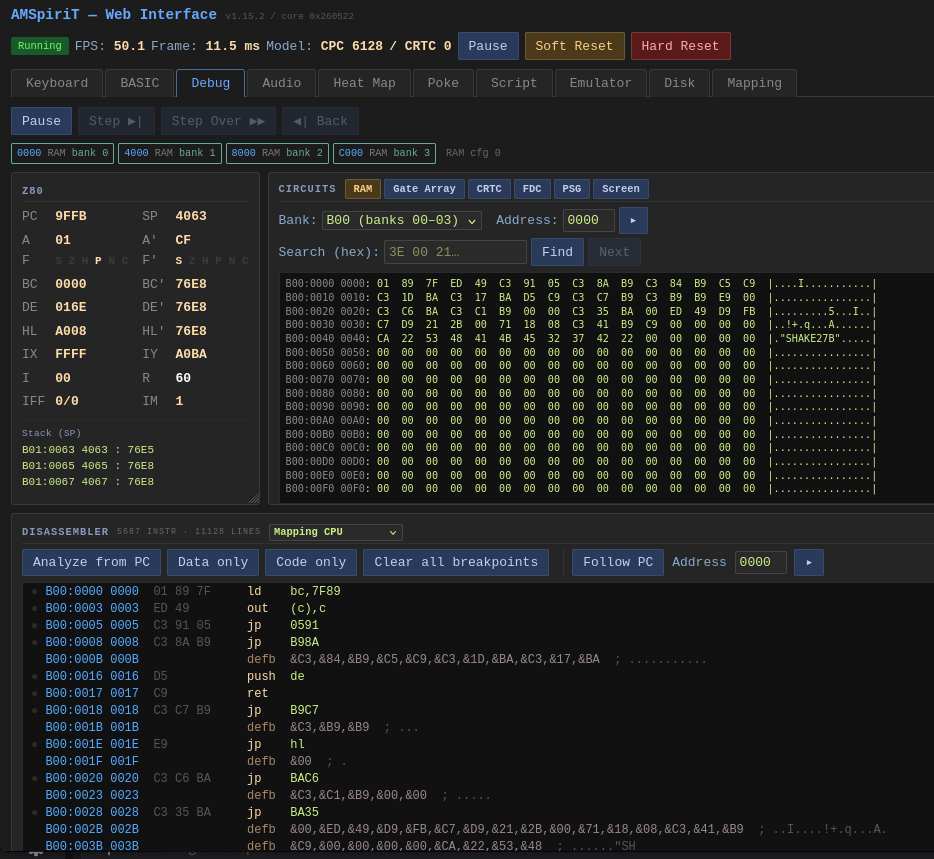
The next article will dive into the API details; there's a lot to cover, so I hope it won't be too overwhelming! In the meantime, there's detailed documentation and test pages to quickly understand how the API works. There's no shortage of resources.
Tools for BASIC
Another very useful addition: the ability to transfer a BASIC program and run it with a simple drag and drop. AMSpiriT Lite indeed includes a very fast BASIC tokenizer. No more relying on autotype functions that take forever to transfer a program : the PC handles converting BASIC from its text form to the form used by the firmware, and the transfer is instantaneous. And this transfer can also be done via the web API:
curl -X POST 'http://127.0.0.1:6128/api/basic?run=1' \
     -H 'Content-Type: text/plain' \
     --data-binary $'10 PRINT "BONJOUR"\n20 GOTO 10'
The transfer also works in the other direction, to quickly retrieve the listing of a program loaded in RAM.
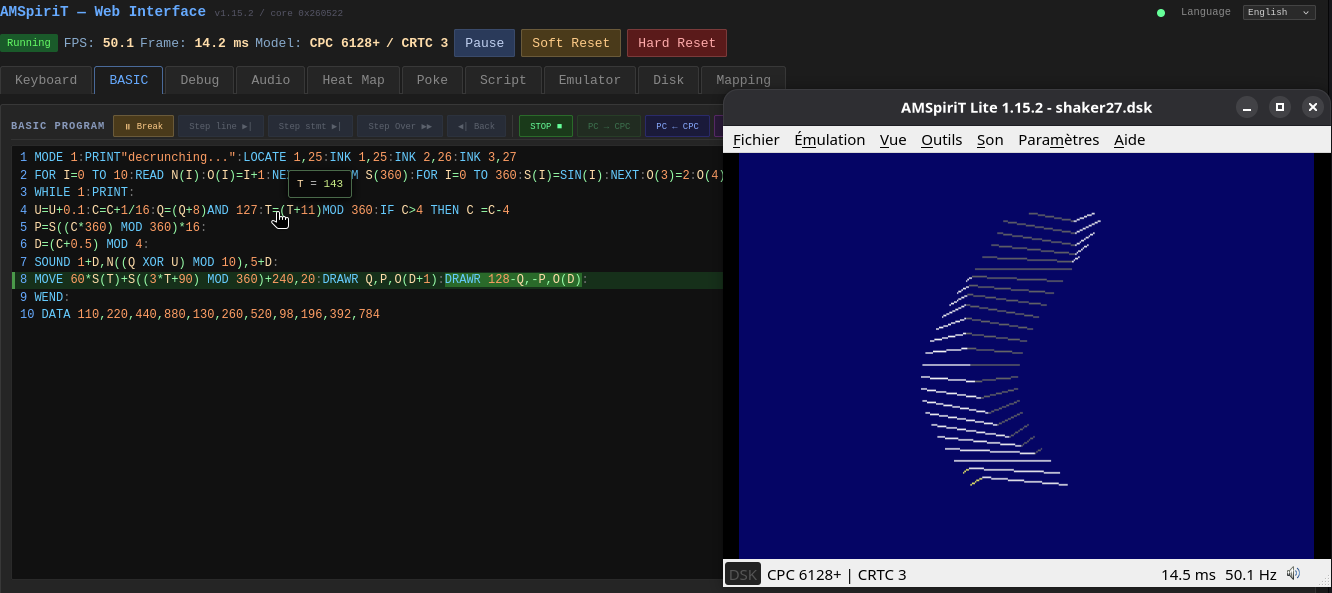
The web interface also allows you to write BASIC, transfer it, set breakpoints (on a line or even on an instruction), and view the state of variables:
Lua scripting
And that's not all: AMSpiriT Lite allows - like the original version - executing CSL scripts, but goes a step further with Lua integration, providing the same capabilities as CSL with the full expressive power of the Lua language. As a reminder, Lua is a lightweight, fast, and extensible scripting language, primarily designed to be embedded within other applications. It's particularly popular in video game development, where it has notably enabled the creation of many "mods".
The built-in web page also contains an interactive Lua console, which lets you quickly test a function or script, with a reminder of all possible calls - the web API features being directly accessible.
Time-lapse and replay debugging
AMSpiriT Lite also includes a time-lapse system - a pause and replay feature inspired by modern emulator practices. The idea is simple, but very effective for debugging: you can pause the emulator, then go back in time to review what happened, frame by frame.
How it works: when the emulator is paused, keyboard keys (or the game controller) allow you to:
- go backward (like with a VCR), then return to the "present";
- resume playback from any point;
- resume or pause;
- advance frame by frame when when caught up to live playback.
This is especially useful for debugging a game or program: you observe a bug, pause, and you can go back to see exactly what preceded the problem. No need to restart from the beginning each time. Frame-by-frame advance allows you to break down what's happening on screen.
For gaming, controller support is nice: you can go backward without letting go of the controller.
Save state slots: In addition to time-lapse, AMSpiriT Lite has a slot system, like RetroArch. It's a mechanism that lets you save the complete state of the machine at a given moment and reload that state on demand, all from the controller.
How it works: multiple slots are available, allowing you to:
- save the current state in a slot (for example before a critical moment in the game)
- reload that state later (if you fail, you return to exactly the save point)
- change slots to have multiple save points
A brief visual feedback confirms that the save or load has occurred.
Note that the slots are tied to the filename of the loaded disk (or media): when resuming a game later: when resuming a game later, the corresponding saves are directly accessible.
In summary, these two features - time-lapse and slots - make AMSpiriT Lite a convenient tool for:
- debugging programs
- progressing in games and saving your progress
- documenting and analyzing program behavior
All of this makes it a tool suited for automation, regression testing, and development, especially since it relies on an emulation core that's very faithful to the original hardware - that's AMSpiriT's founding motto: "Accuracy without compromise". Without this fidelity, what is observed in the emulator wouldn't make much sense on the real machine.
Examples of achievements
Now that we've reviewed the main features added to the emulator, I'd like to end with the most interesting question: what can we build with this? To give you an idea of the possibilities, here are some examples of applications and tools built with this API. As we'll see, over the past few months, CPC developers have embraced the API and created interfaces and tools, from the most generic to the most specific.
A game's map without playing it
Knight Lore remains one of those games that never ceases to amaze me. Think about it: a 1984 game that features isometric rendering, a physics engine, puzzles that exploit this physics, traps and enemies with varied behaviors, a day/night cycle, and a vast world of 128 rooms.
One of the first applications I was able to create with the AMSpiriT API was to automatically reconstruct the map of Knight Lore's world. I didn't have to play through every room to build it (the game is notoriously difficult!). Instead, I wrote a script that teleports the hero from room to room, captures each screen at the exact moment the scenery is loaded, then stitches the 128 rooms together into a single image. Here's the result:
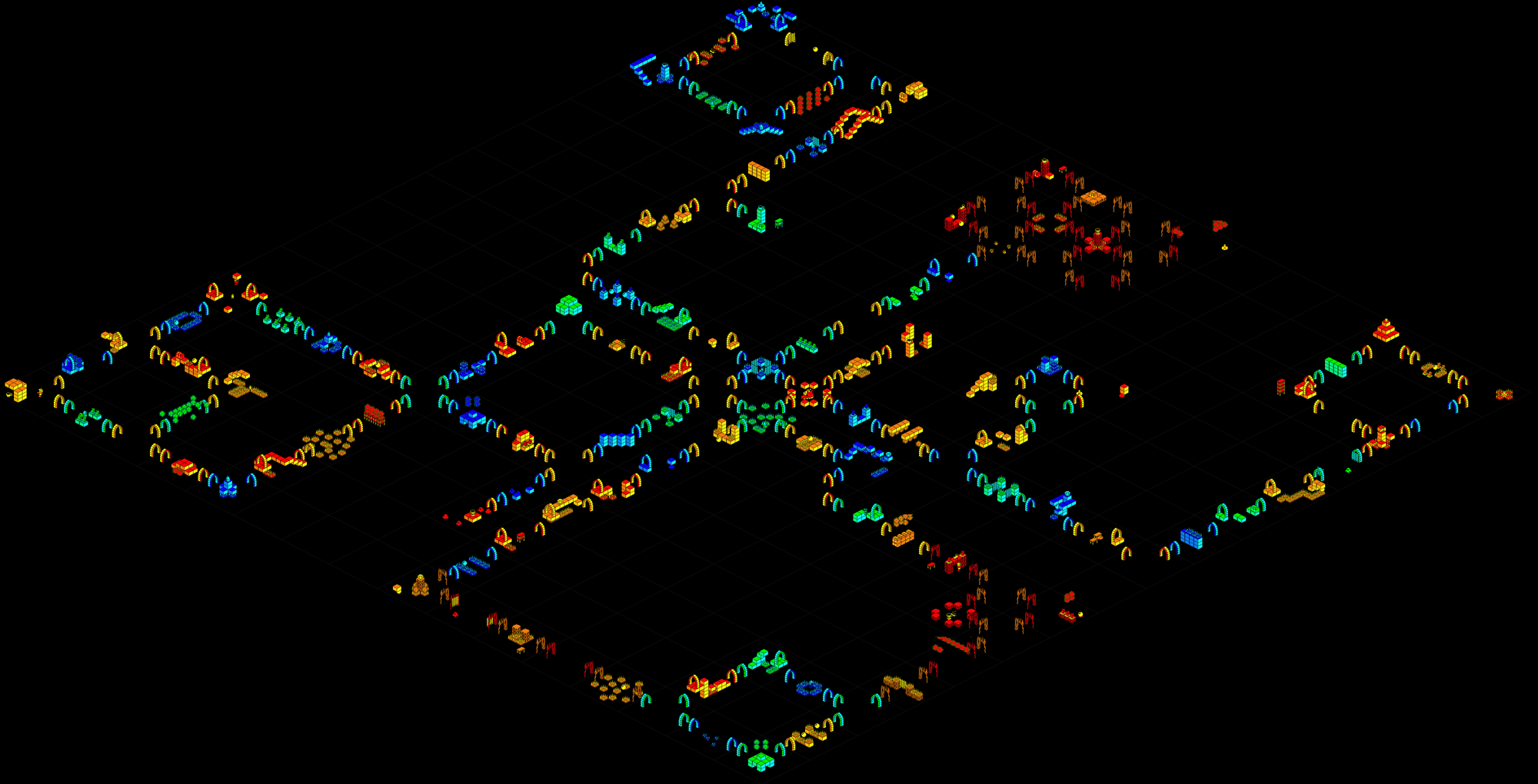
To make the resulting image readable, the script removes all walls and the character each time the room changes. This is possible by setting a breakpoint just after the game's room-loading routine to inject code that filters the room data.
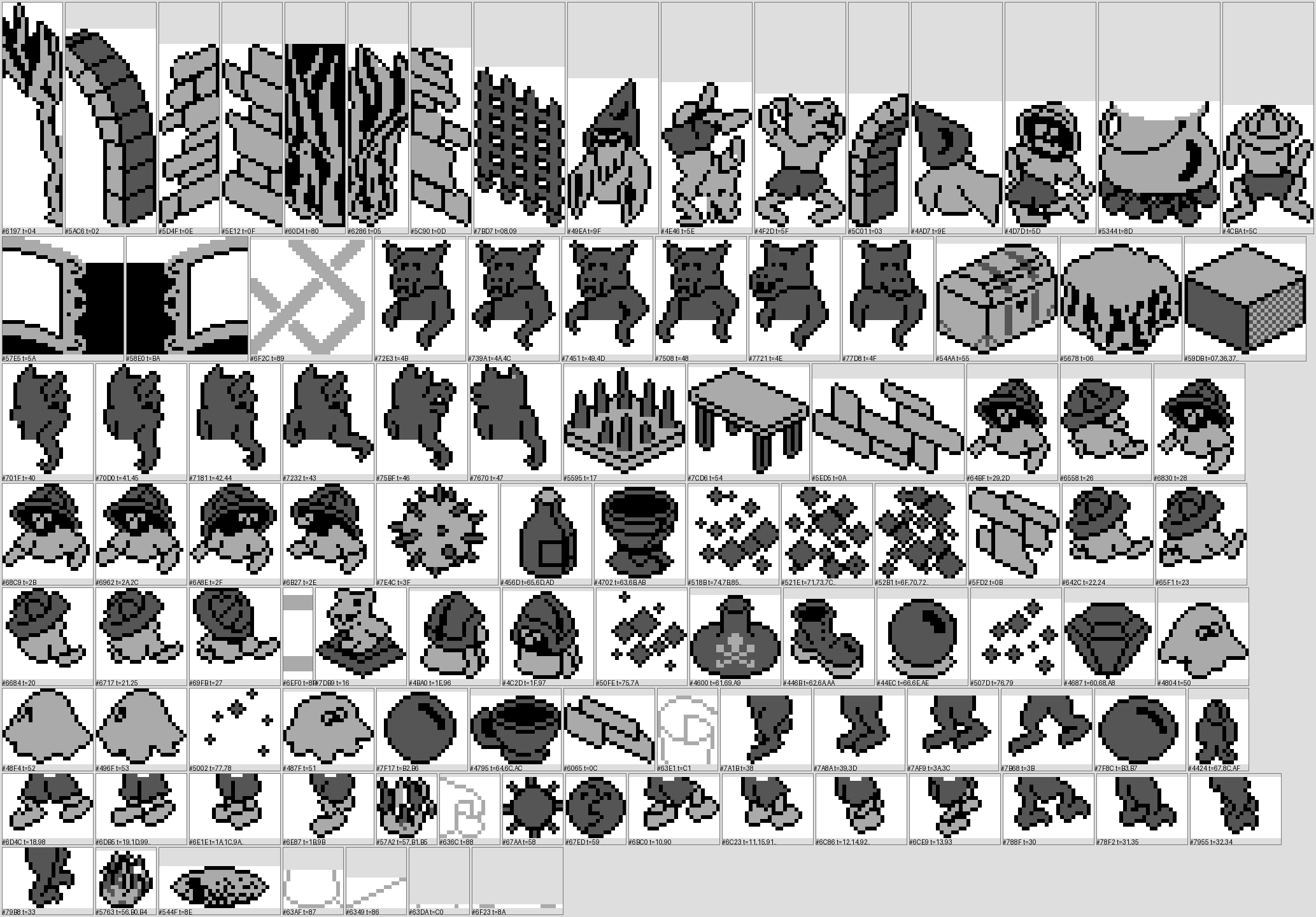
I undertook a complete disassembly of the game, which allowed me to retrieve all the graphics by exploiting a memory dump. Here are the 103 sprites from the game, labeled with their memory addresses. I'll probably discuss this in more detail later, and the code will be published soon for the curious.
Finding infinite lives
ram-search is an example I'm particularly fond of because it's tiny: a 446-line HTML file, plain JavaScript, no dependencies, no build step. You open it directly in the browser, locally, from disk - file:// works - and it controls the emulator. It's a very concrete way to show what an open CORS API allows: a third-party page, placed anywhere, becomes an analysis tool.
The method used relies on successive snapshot comparisons, a familiar technique for Cheat Engine. Each pass makes a single API call, GET /api/ram?addr=0&len=65536. This retrieves a snapshot of the 64 KB of RAM at once. You compare it to the previous snapshot and keep only the addresses that match a filter.
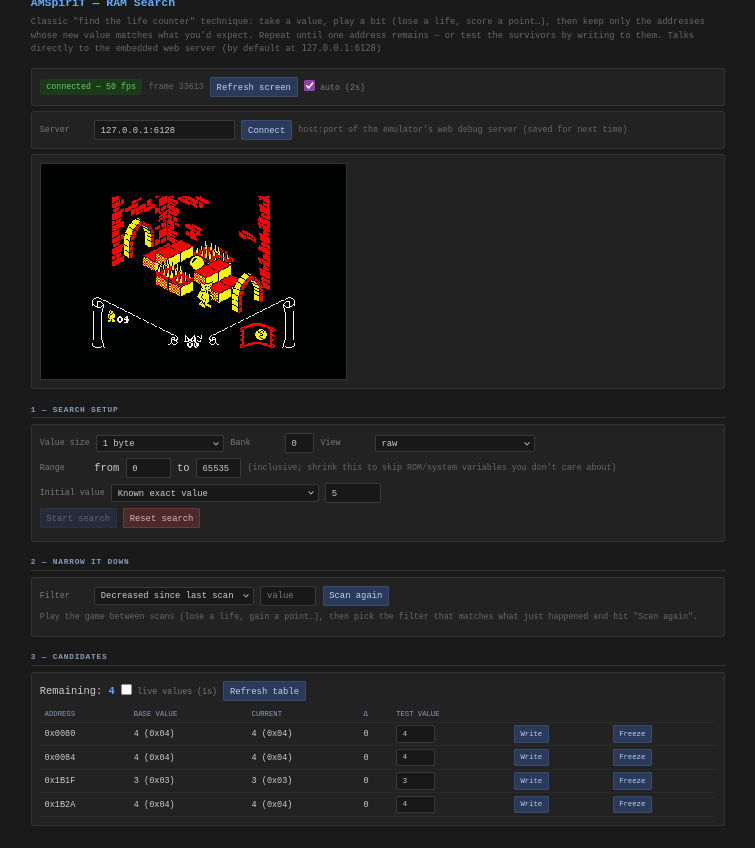
Concretely, you play between two passes, indicate what just happened ("the value decreased", "it didn't change", "it's exactly 3"), and the list of candidates shrinks by elimination.
When only one address remains, you have two buttons: write a value or, more radically, freeze it. In the implementation, the latter means rewriting the same value every 150 milliseconds. Infinite lives in one line of code.
A few ergonomic details: the first filter uses /api/screenshot and embeds an emulator screenshot in the page. The second is a "live values" mode, which lets you observe how candidates change. And most importantly, many filters are available, because you don't always have the exact value: in the case of a health bar, for example, you may not know how the value is encoded. You can simply look for values that decrease (or change) for instance.
Viewing memory activity
The first time I saw a dynamic map showing live RAM activity (reads/writes), it was with an emulator I'm particularly fond of: tiny8bit. Its author is full of ideas that they share on their blog and offers excellent visualizations of how a processor like the Z80 works. As soon as the API was finalized, one of the first things I coded was this "heat map", available in the built-in web page:
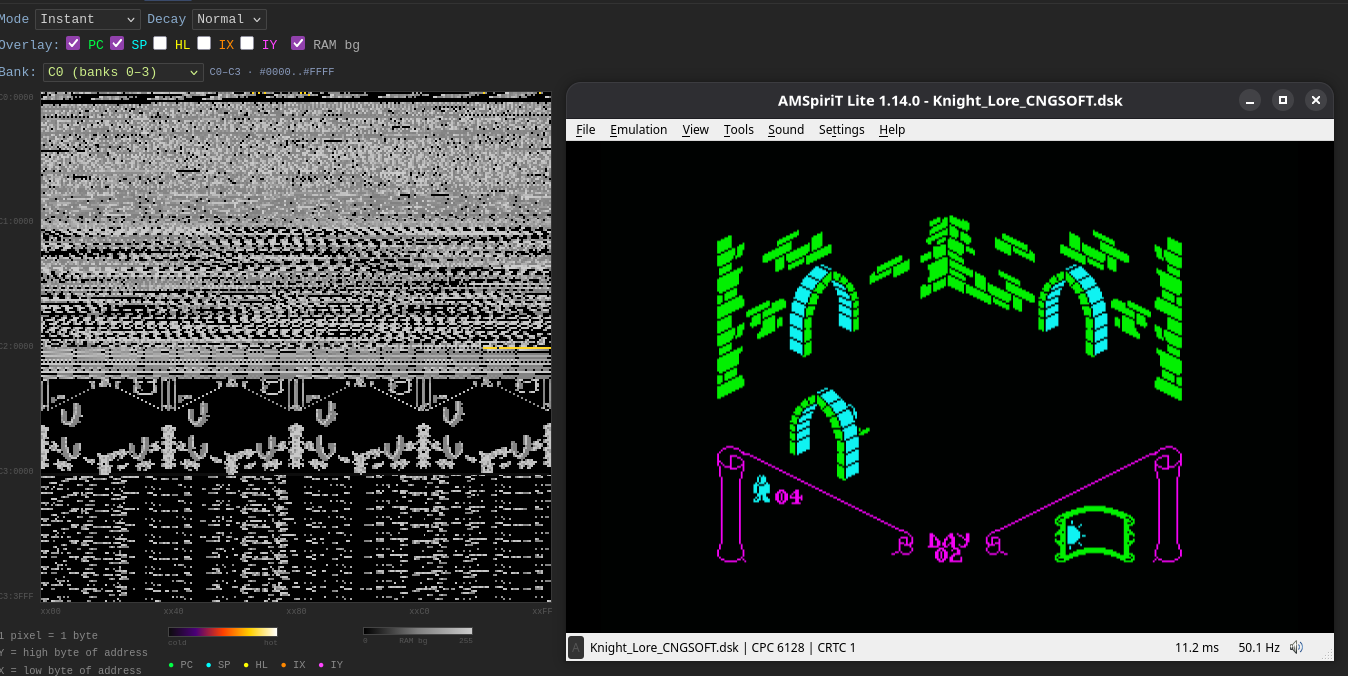
The Heat Map tab of the web interface draws 64 KB memory blocks on a 256 × 256 square: one pixel per byte, the vertical axis for the high byte of the address, the horizontal for the low byte. Each write heats up its pixel, which cools down gradually. This view thus shows recent memory activity, with adjustable decay, and colors distinguish recent modifications from older ones.
The result is surprisingly revealing. You see screen memory fill with each frame, a game's work buffers pulse in rhythm, BASIC variables living in their little corner. And most importantly, you instantly spot where a program is actually writing - information that would take a long time to extract from a disassembly. In the screenshot above, you can see in gray the intermediate render buffer toward the center of the image, which is typical of a Spectrum port; the colored areas correspond to elements moving on screen.
Technically, it's just a loop polling GET /api/ram - proof that a simple endpoint, plus good visualization, makes an analysis tool.
And more
These are just a few examples of achievements built around the API. For instance, this custom tool that Fred created to develop the remaster of his Fugitif 31 game, which he published with Lankhor in the early 90s. This tool allows him, for example, to see all the internal variables of his engine:
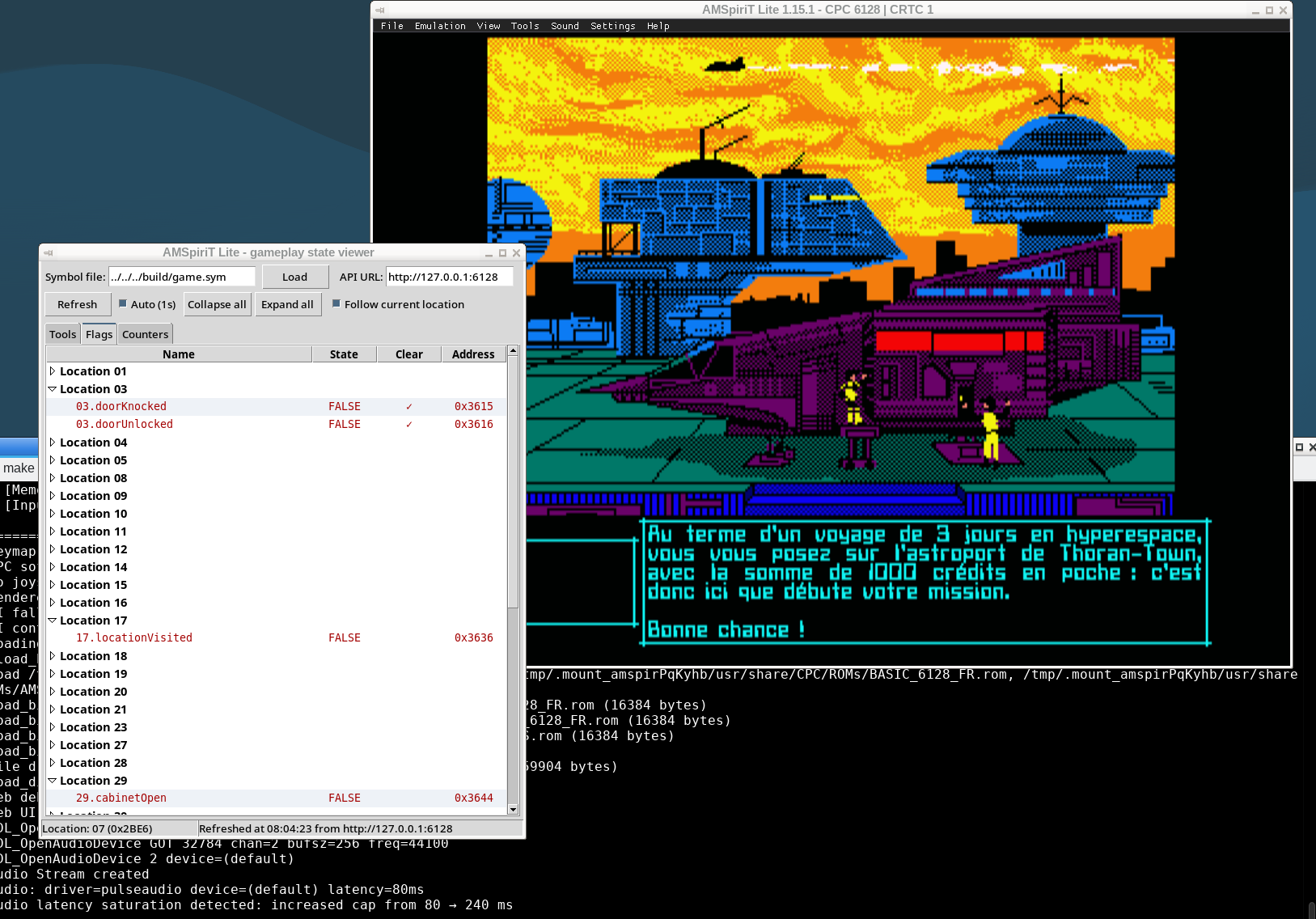
Here, he opted for a Python interface. I could have mentioned the VS Code plugins that Gurneyh wrote to create an integrated assembler/debugger editor, or a BASIC editor, or Python tools to assist with disassembly and code analysis; I'll certainly discuss these in other articles.
Enter Astra
Because as I was wrapping up this post, a new LLM model came out, available to the public: Astra from OpenAI. Tronic, who wanted to evaluate it, gave it access to control AMSpiriT via the API and provided it with documentation, in particular the CRTC compendium. While a few readers might have struggled through this document, the AI had no trouble digesting it and, properly guided, producing some quite impressive results, I must admit. Tronic thus managed to achieve effects considered among the most complex you can do on CPC, such as vertical breaks - techniques that require perfect synchronization of instructions sent to the CRTC, all in full screen:
By analyzing the code, we could see that the LLM had chosen different strategies based on the effect's complexity: RVI for complex cases (1st and 3rd videos requiring vertical management) and RFD for simple horizontal management (video 2).
These techniques are described in the Compendium, but until now no AI had succeeded in implementing them. To achieve this, it was able to experiment with the emulator, try things out, and adapt its code. And this is where emulation fidelity is crucial: if the emulator isn't cycle-accurate, the AI will exploit these flaws and produce code that won't run on real hardware.
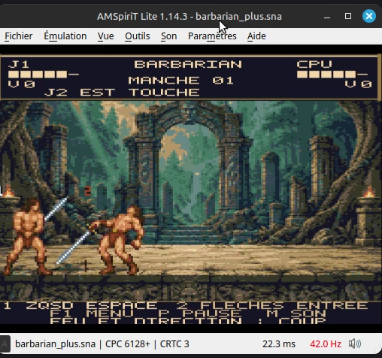
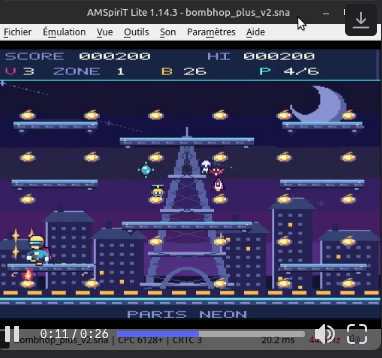
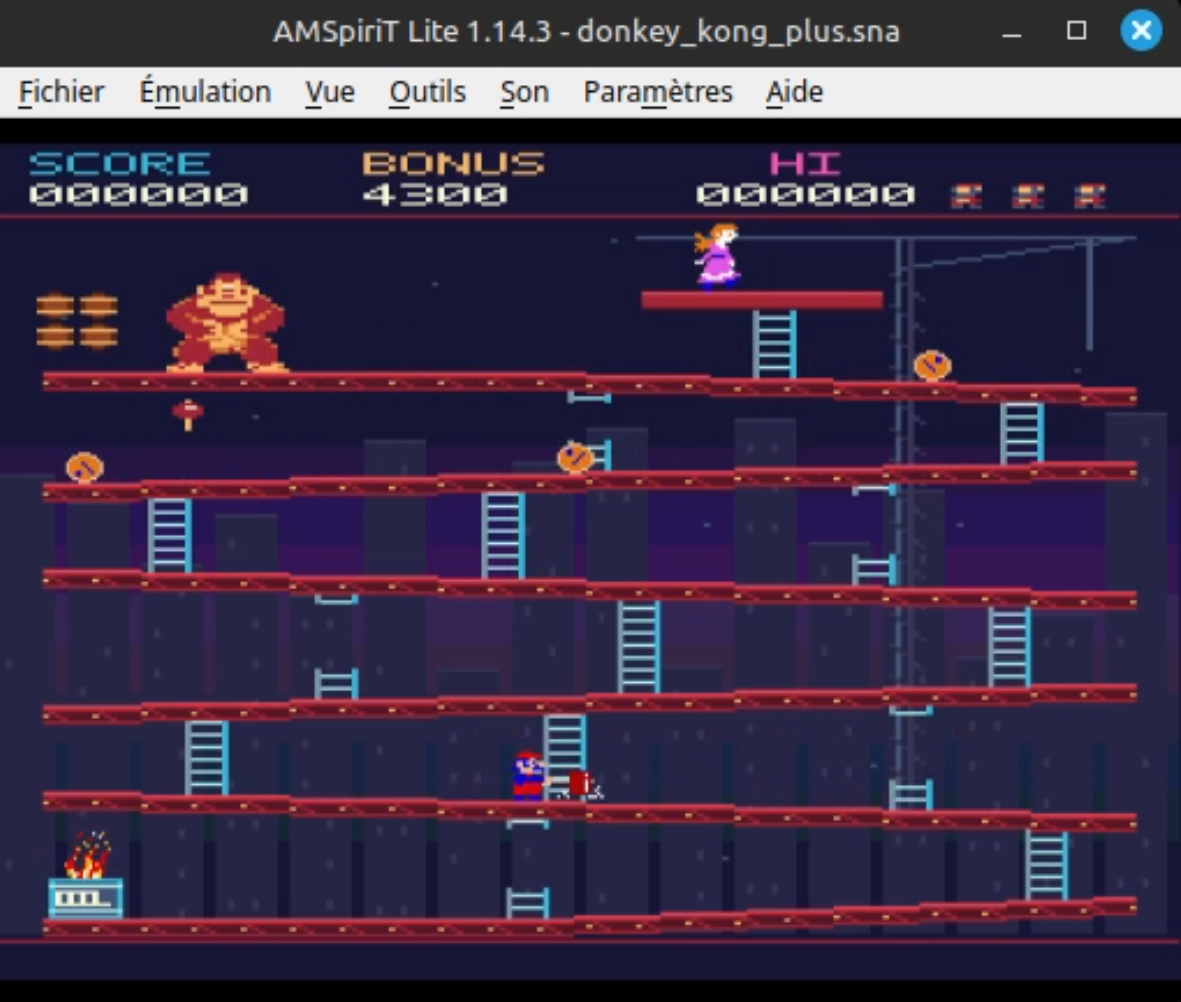
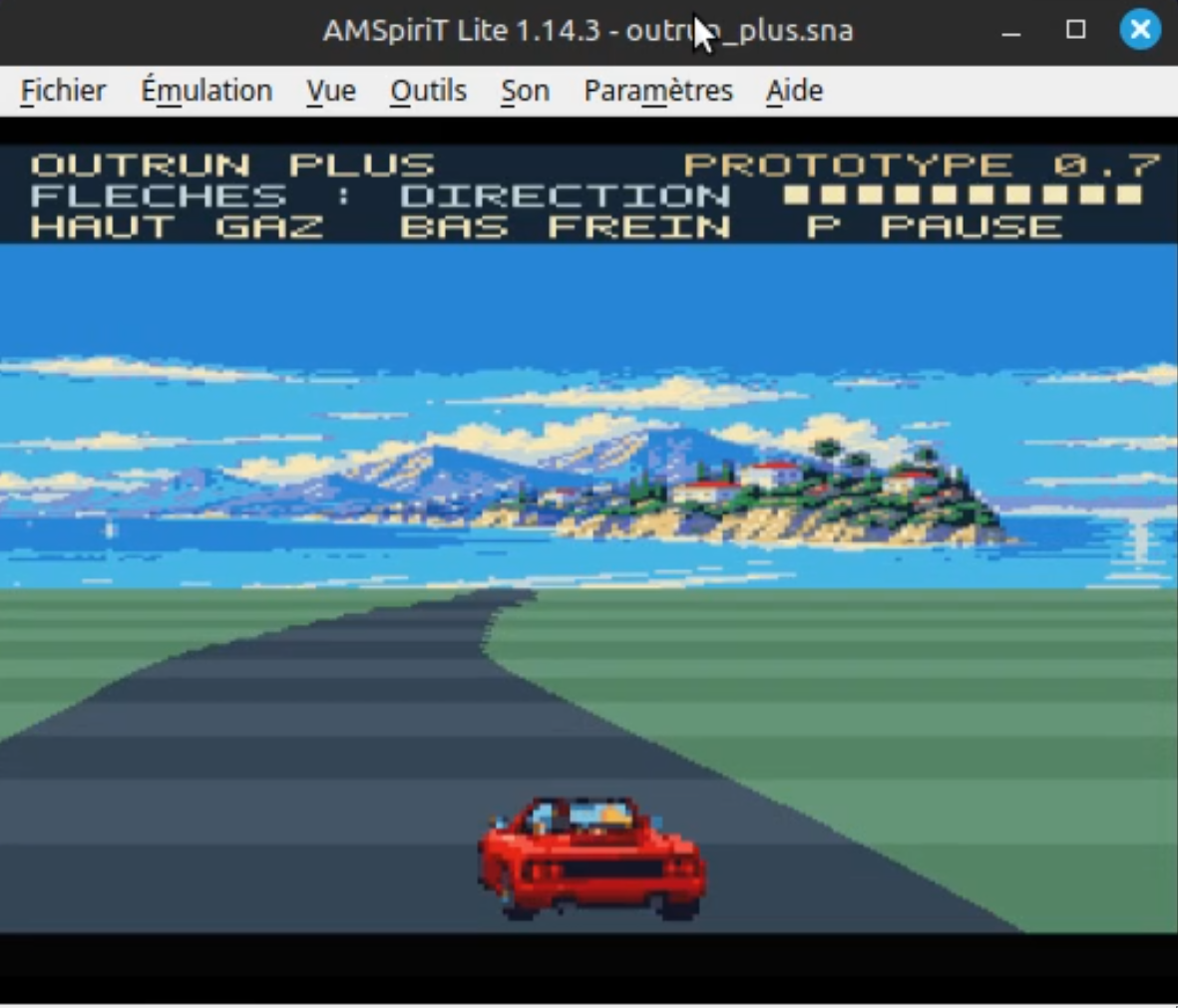
On a more playful note, Tronic has also co-developed game proofs of concept, and the results are encouraging. By adding assets and screenshots to the mix, he was able to quickly get early drafts of games resembling Donkey Kong, Barbarian, or Out Run, as well as Bomb Jack for CPC+ whose first level is quite playable.
Some perspectives
Under the hood, if you look closely, most of the examples mentioned rely on the same two endpoints: /api/ram and /api/screenshot. What changes is how you use them: comparing two dumps gives a mini "Cheat Engine" to find infinite lives in a game, coloring them gives a heat map, stitching them together gives a game map or sprite sheets. The API is small, the combinatorics are not. And that's the very essence of the philosophy behind AMSpiriT Lite: to provide building blocks so everyone can make their own tools, integrate the emulator into their own development pipeline, and create anything that requires a controllable emulator. The arrival of AI opens dizzying new perspectives: with these two entry points, an LLM can control the emulator, see the visual result obtained, and, through iteration, write increasingly sophisticated code.
These last examples, produced with AI, are certainly not finished or final: they're not complete games, and shouldn't be taken as such. But they are markers of an evolution we're experiencing.
This likely signals a new generation of games in volume. Not all of it will be high quality, but the barrier to entry for creating polished homebrew projects keeps getting lower. And if, with AMSpiriT, we can make our contribution, then our efforts will not have been in vain.
And emulation?
There's one last category of achievements I haven't mentioned: the emulators themselves. In recent years, and especially in recent months, we've seen many Amstrad CPC emulators appear, increasingly powerful. We're in contact with several of their authors, and those kind enough to cite their sources mention the CRTC Compendium, the Shaker test suite, and now AMSpiriT, which serves as a "source of truth". AMSpiriT is now used to provide reference images from Shaker, which can be found on Shakerland. These images can be used to compare emulator outputs and thus validate emulation progress. If AMSpiriT can also help emulator and hardware developers, that will be another victory for us.
Next in the series
With this introductory article, you now know what AMSpiriT Lite is: a solid emulation core, wrapped in experimental ways. The following articles will dive deeper into the API and the tools shipped with AMSpiriT Lite, and show you how to get the most out of them:
- The web API - connecting, loading media, controlling the machine, subscribing to events…
- BASIC - drag and drop a
.bas, and the BASIC debugger from the web interface: breakpoints, variables, step-by-step. - Lua and scripting - the interactive console, automation, regression testing.
- VS Code and external tools - editor plugin, CI/CD, integration into your workflows.
- Application examples.
Each article will showcase the possibilities offered by AMSpiriT Lite. I hope they'll inspire ideas for tools and interfaces: that's why we developed and opened this tool. With the rest of the team, we invite you to explore, contribute, and send us your feedback. AMSpiriT Lite grows with its users! Don't hesitate to share your achievements on social media or Discord: we'll be happy to share them and offer assistance if needed.
Siko / Logon System, September 2026